StackGauge
Every AI limit, in one menu.
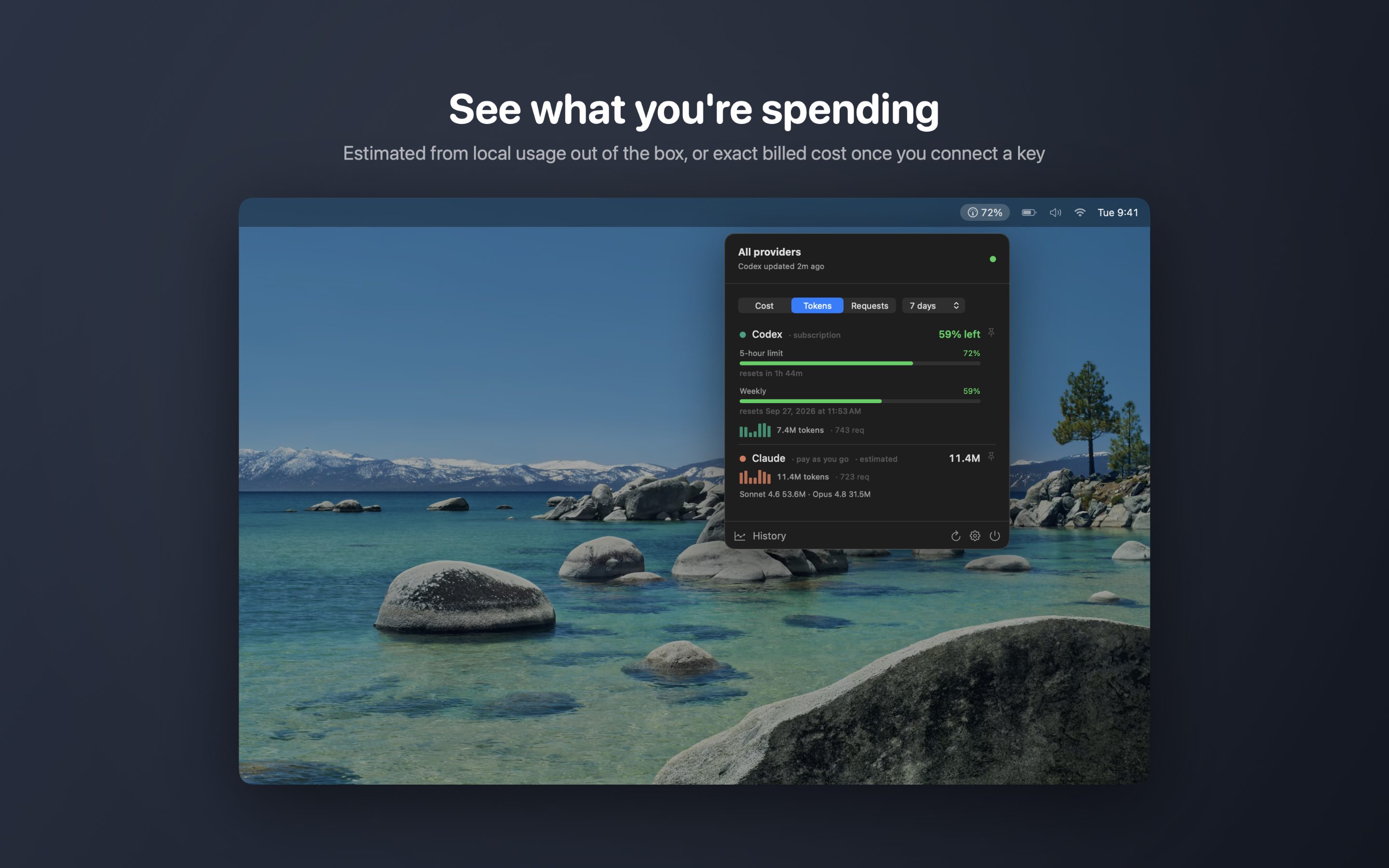
Track Claude Code and Codex usage from your Mac menu bar. See how much of each limit is left, which one is about to stop you, and what you're spending.
You're deep in a session when it stops. Limit reached. Which tool was it, the 5-hour window or the weekly cap, and when does it come back? StackGauge keeps the answer in your menu bar. Claude Code and Codex side by side, how much each has left, which one is closest to stopping you, and what it's costing you.
Why StackGauge?
The things that actually matter.
Every Tool at Once
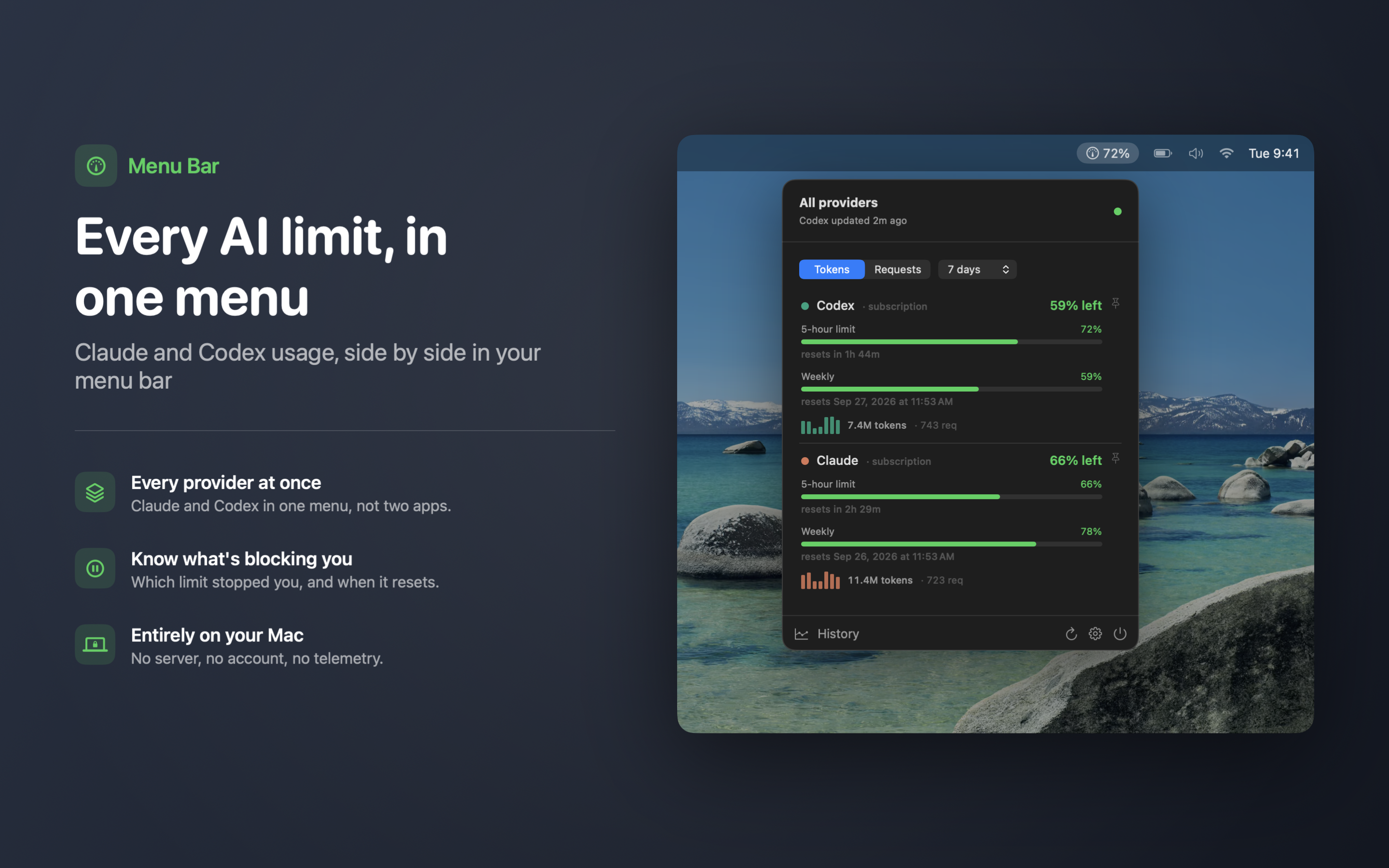
Claude Code and Codex in a single menu, not two apps. Each one shows its 5-hour and weekly usage, when it resets, and how much you have left.
Know What's Blocking You
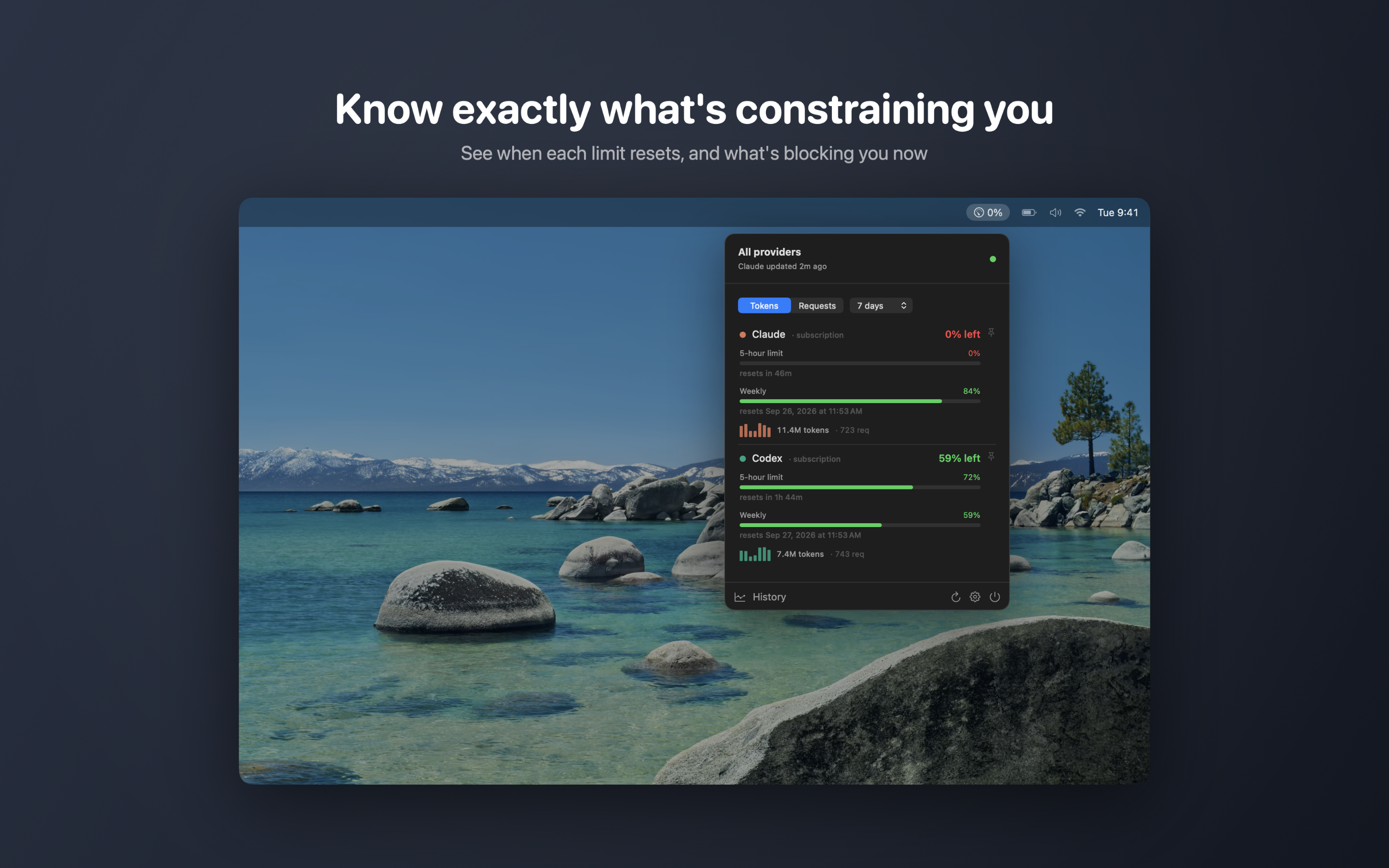
When usage stops, StackGauge tells you exactly which limit was reached, how much of your other allowances remain, and when included usage resumes, so you're never left guessing.
Pin What Matters
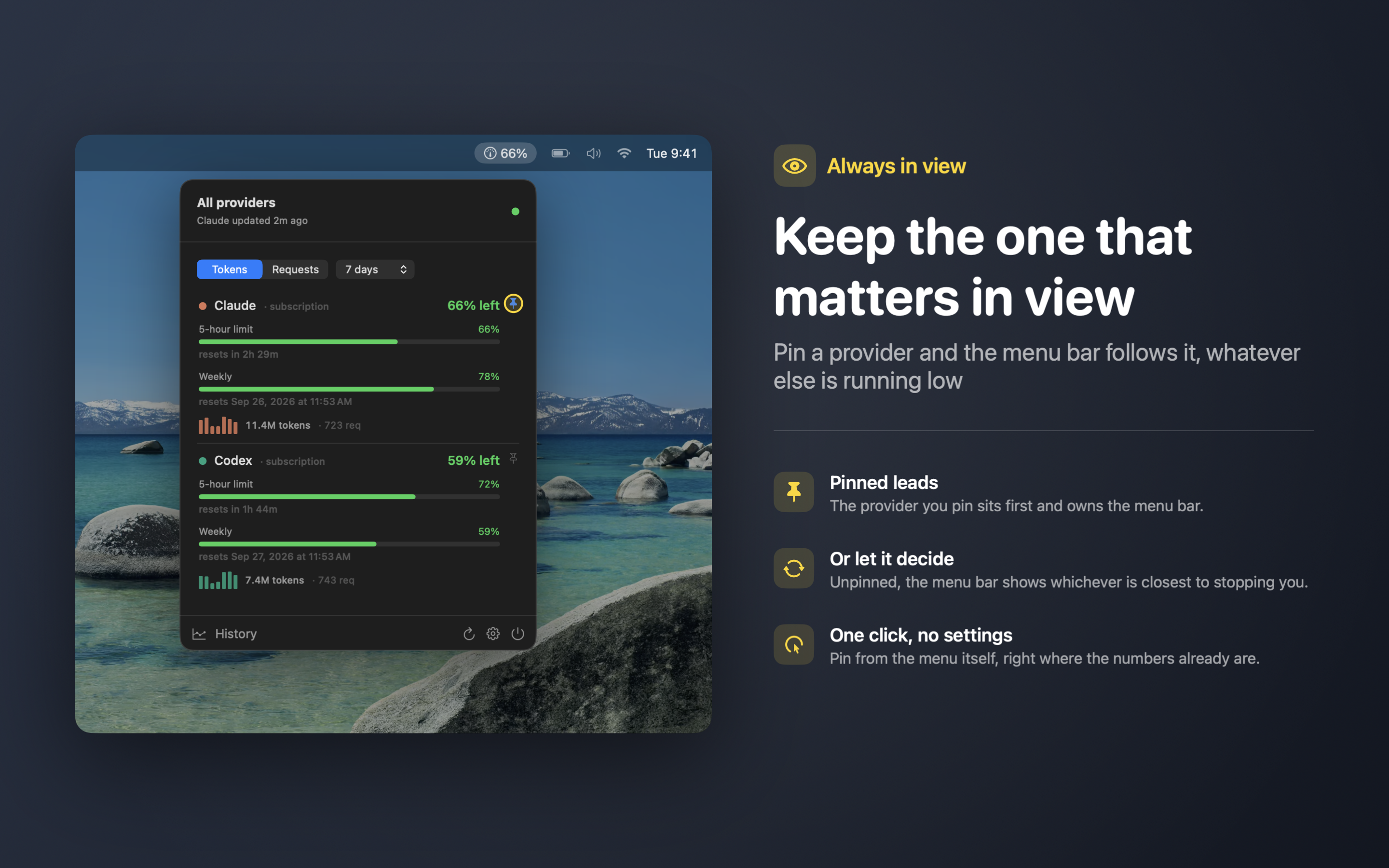
Pin a tool and the menu bar follows it. Leave it unpinned and StackGauge shows whichever one is closest to stopping you, so the number you glance at is always the one that counts.
Spend, Estimated or Exact
For pay-as-you-go accounts, StackGauge reconstructs your spend locally from token counts and current model prices. Connect an Anthropic Admin API key and it shows your exact billed cost instead, and tells you which of the two you're looking at.
Usage Over Time
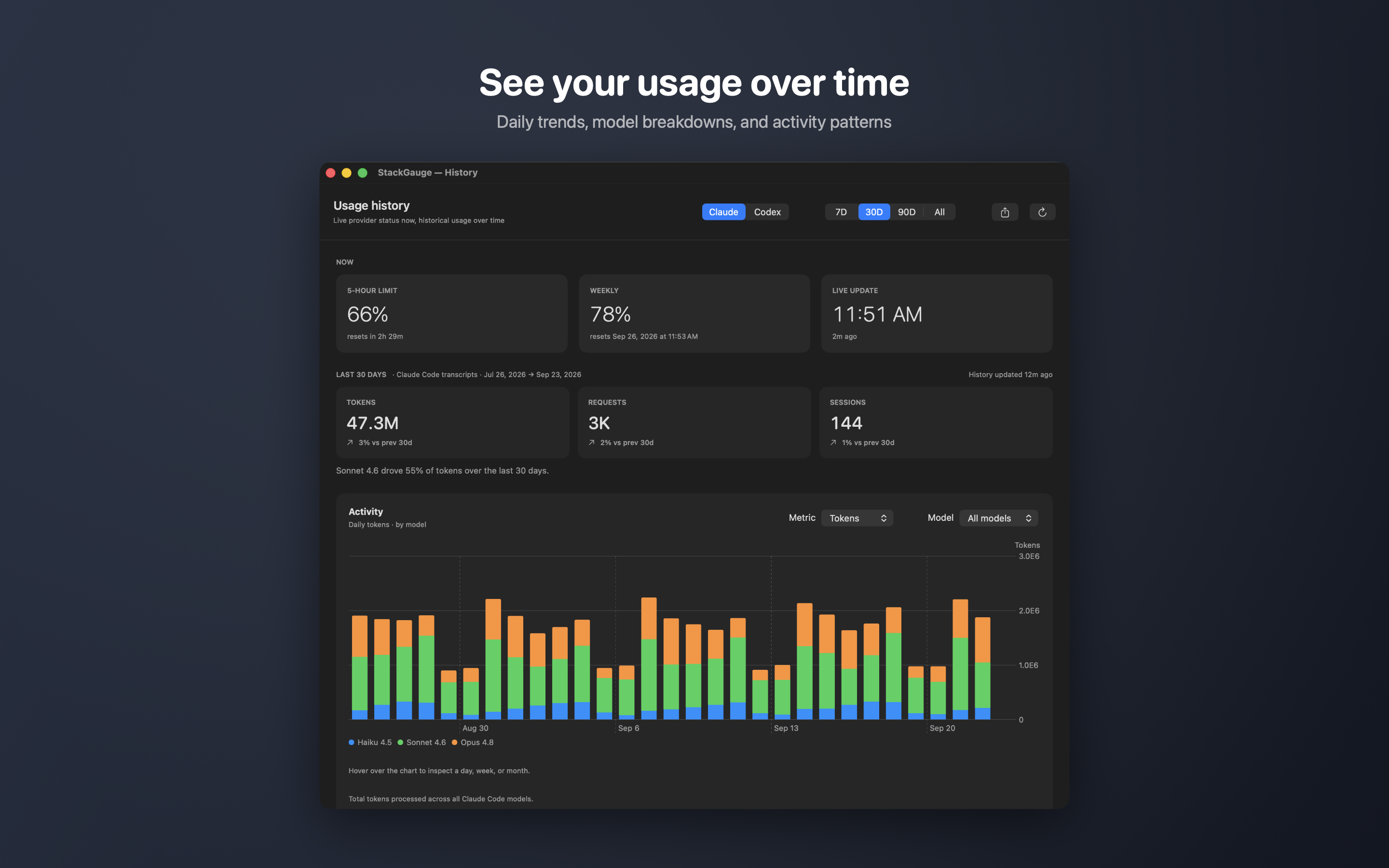
A History window charts your daily usage, breaks it down by model, and surfaces activity patterns and lifetime totals. Switch between tools to compare them, all reconstructed locally from data each one already writes.
Private by Design
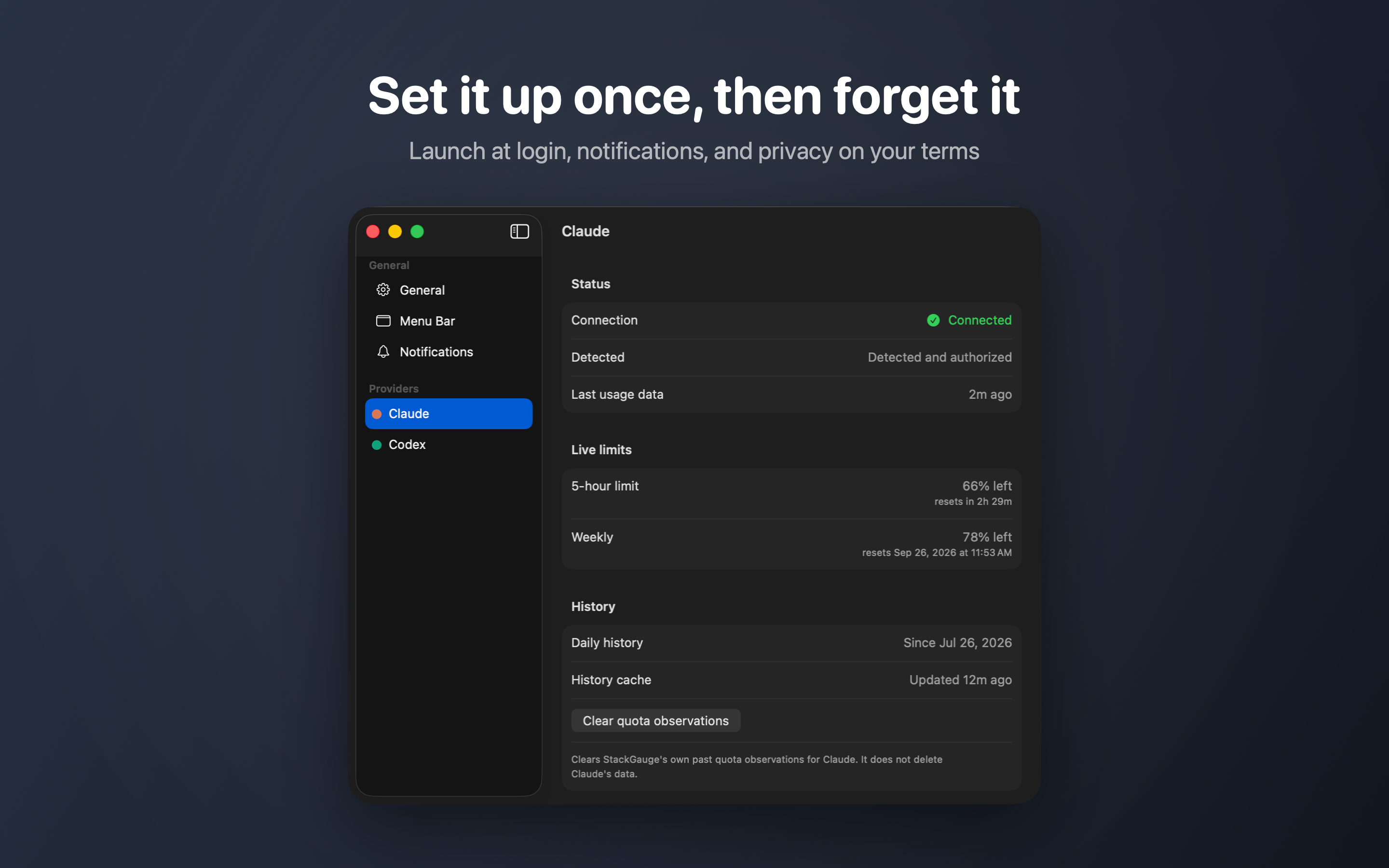
StackGauge has no server. It reads only local Claude Code and Codex data, and decodes just timestamps, model IDs, and token counts. Your prompts, responses, and file contents are never stored or displayed.